


Solid Starts: Baby Food App
4.9729.00 Reviews
App Specs
- Version
- 5.7.0
- Updated On
- License
- Free
- Downloads
- 1,000,000+
- Developer
- Solid Starts
- Categories
- Parenting
- Platform
- Android, iOS
Screenshots

 Analysis by AppCompare
Starting solids can turn a simple grocery shop into a list of new questions: Is this food suitable for my baby, how should I serve it, and what should I watch for? I find Solid Starts: Baby Food App most useful as a practical reference for those moments, rather than as a replacement for a pediatrician or a complete feeding plan. It is a free parenting app from Solid Starts, with optional in-app purchases, so you can try its core approach before deciding whether any paid offering is worth considering.
Free to try, with paid extras to weigh
The app is free to download, while in-app purchases range from $1.99 to $99.99 per item. That is a wide span, so I would check what a specific purchase includes and whether it fits how you plan to use the app before paying. The free price makes it easy to explore the food reference first; it does not mean every part of the experience is necessarily free.
That distinction matters for parents who mainly need an occasional answer at the grocery store. If you only look up a food now and then, the free access may be enough to judge whether the database suits you. If you expect to use planning tools regularly, compare the available purchase details with your needs rather than assuming that a paid option is essential. I would treat the purchase choice as a personal convenience decision, not a requirement for starting solids.
A lookup tool for decisions that happen in real life
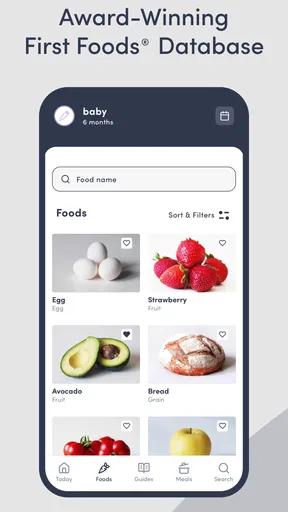
The app’s clearest value is its food database. Instead of searching the web and sorting through advice aimed at different ages or feeding styles, I can use one food-focused reference to consider when and how to introduce an ingredient, how to prepare it safely, and whether it may be an allergen. That makes it especially handy when a food is already on the family menu and I want to think through how to offer it to a baby.
For example, picture a parent making dinner with avocado, eggs, or another everyday ingredient while a baby is beginning solids. A quick lookup can help turn the adult meal into a more deliberate serving plan, rather than prompting a rushed search through several websites. I would still use my own judgment and seek professional advice for a specific health concern, but having preparation guidance together with allergen context gives the lookup more purpose than a bare list of foods.
One useful habit is to check a food before the meal, not while a hungry baby is waiting. That gives you time to read the preparation guidance, choose a suitable option, and think about what else is being served. Another is to use the database while planning a grocery list: looking up an ingredient before buying it can help you decide whether it fits the meal you have in mind. These small workflows make the app more useful than opening it only after uncertainty has already interrupted dinner.
Where it fits among parenting resources
Many parents begin with advice from family, social media, general search results, or a pediatric visit. Each can help, but they serve different purposes. Family experience may feel reassuring while reflecting one household’s habits; online searches can surface a range of answers, but also leave you to judge which advice applies. A clinician is the right person for an individual medical concern. I see this app in the middle: a convenient food reference for everyday preparation questions, not a personalized source of medical care.
Worth Reading Before You Choose

Baby Panda World Brings Quick Play to Modern Phones, but Its Game Library Feels Busy

ESPN’s Live Game View Makes Following Close Games Easier

QuizzLand Review: A Good Fit for Short Trivia Breaks, Not Every Player

Basketball Stars: Multiplayer Is Fast, but Can It Recover When Matches Go Wrong?

WEBTOON Turns Phone Updates Into a Better Reading Routine

Link to Windows Runs on Shared Habits, Not Social Feeds
That distinction is important around allergens and safety. The guide can help you approach introductions more thoughtfully, but it cannot assess your baby’s medical history or tell you how to respond to a reaction. I would use its information as preparation, then follow a healthcare professional’s advice whenever a child has a known allergy, a relevant medical history, or symptoms that worry me. For parents who want a quick, organized reference, that boundary is sensible; for anyone looking for individualized clinical guidance, it is the wrong tool on its own.
Planning without turning meals into homework
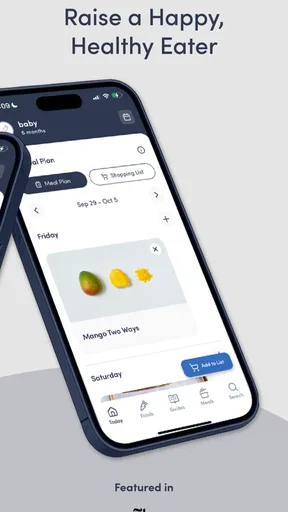
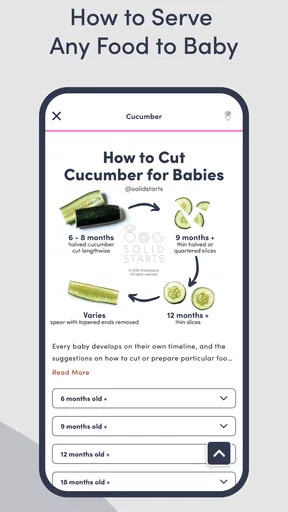
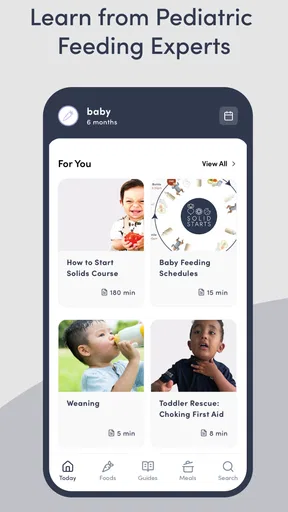
The meal-planning feature can be useful when the same question keeps returning: what should I offer next, and how can I make the week feel manageable? Planning by age gives parents a way to organize ideas around their baby’s stage instead of starting from a blank page every day. The illustrations and photos also make the material easier to scan, especially when you are trying to understand a preparation suggestion quickly.
I would use planning as a prompt, not a strict schedule. Babies and family routines vary, and a plan can become another source of pressure if it feels like every suggested meal must be followed exactly. A more relaxed approach is to choose a few ideas that work with food the household already eats, then use the database to check how to offer them. This keeps the app connected to ordinary meals instead of creating a separate menu that adds shopping and preparation work.
A practical trade-off is that an app-based plan asks you to bring a phone into the process. That is convenient when you are already using a device to shop or cook, but less appealing if you prefer a printed guide or want fewer screens around mealtime. I also would not assume that a visual example answers every question about a particular baby’s readiness or needs. The app can organize information; the parent still has to decide what fits the child and household.
Who is likely to get the most from it?
I think it is best suited to parents who are introducing a range of foods and want a repeatable way to look up preparation ideas. First-time parents may appreciate having food details gathered in one place, while experienced caregivers might value the speed of checking an unfamiliar ingredient or revisiting allergen guidance. It can also help another caregiver understand how a parent intends to serve a food, provided the family discusses any specific instructions rather than expecting an app entry to cover every situation.
On the other hand, it may not be the best fit if you already have a trusted reference and rarely want to use a phone for feeding decisions. It is also not a substitute for a clinician when the question is medical or specific to your baby. Parents who want only recipes, a grocery tracker, or a strict feeding schedule may prefer a tool built around those priorities. The app’s strongest case is its food-by-food guidance, so its value depends on whether that is the kind of help you actually need.
There is also a difference between liking a database and wanting a broader parenting community. The app’s conversational style and parent-oriented tips make the material feel approachable, but I would not choose it solely for social interaction. If your main need is reassurance from a professional, a direct conversation with your child’s healthcare provider is more appropriate. If your main need is a clearer next step for serving a particular food, the app is much closer to the mark.
Discovering the Delights of Solid Starts
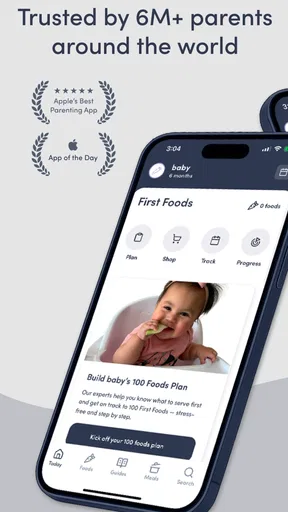
So here I was, armed with a spoon and a bowl of mashed avocado, feeling a bit clueless. Enter Solid Starts, which turned my baby food journey from "what am I doing?" to "I’ve got this!". The app is super user-friendly, and I was able to navigate through the first few screens without a hitch. It’s like the developers knew exactly what we needed.
Features That Stand Out
One of the standout features is the comprehensive database of foods. I could search just about any food, and bam, there it was with all the info I needed. They provide details like when and how to introduce each food, how to prepare it safely, and even potential allergens to watch out for. Talk about peace of mind!
I also loved the meal planning feature. Planning meals for a baby can be overwhelming, but the app made it easy. It’s almost like having a personal nutritionist guiding you through each step. I could plan meals by age, which was super helpful. Plus, there are cute illustrations and photos that make the whole experience enjoyable.
Keeping It Real
What’s great is how relatable the content is. The app doesn’t just throw scientific jargon at you. It’s conversational and feels like chatting with a friend who’s been there, done that. They even have tips from experts and other parents, which adds that community feel.
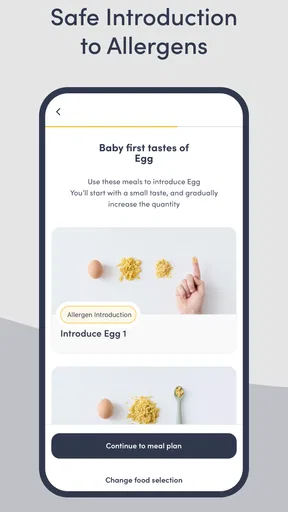
Oh, and did I mention the allergen guide? It’s a lifesaver! The app breaks down common allergens and gives you tips on how to introduce them safely. As a worried parent, this feature was a game changer for me.
Wrapping It Up
In a world where parenting advice is a dime a dozen, Solid Starts: Baby Food App really stands out. It’s intuitive, packed with valuable information, and designed with parents in mind. Whether you’re just starting on your baby food journey or looking for new ideas, this app has your back.
So, if you’re ready to transform mealtime from stressful to successful, give it a whirl. Your baby’s taste buds (and your sanity) will thank you!
How I would decide whether to keep it
Its broad adoption is one reason a new parent may feel comfortable giving it a try: it has more than a million installs and an average rating of 4.8 from around 20,000 ratings. Those figures are useful context, but they do not guarantee that every family will find the same guidance or interface helpful. I would judge it by a simple test: does it help me make a food decision more calmly and efficiently than my usual search routine?
The app is free, rated for everyone, and its current version is 3.6.12; it requires Android 7.0 or later. It was released on May 3, 2021. Those basics make it straightforward to consider as a starting point, while the optional purchases still deserve a close look if you are thinking of spending. I would not pay simply because a feature sounds comprehensive; I would first identify the particular task I want help with and see whether the app’s free experience already addresses it.
Pros
- Comprehensive food database for babies.
- Easy-to-follow meal plans.
- Customizable feeding schedules.
- Nutritional information included.
- User-friendly interface.
Cons
- Limited free content access.
- No offline mode available.
- Subscription required for full features.
- Occasional app crashes.
- Updates can be slow.
FAQs for Solid Starts: Baby Food App
What features does the Solid Starts app offer for introducing solid foods to babies?
The Solid Starts app provides a comprehensive guide for introducing solid foods to your baby. It includes a detailed food database, nutritional information, allergen tracking, and meal planning. Additionally, it offers expert tips and advice on feeding techniques, portion sizes, and age-appropriate foods to ensure a safe and balanced introduction to solids.
Is the Solid Starts app suitable for all dietary preferences and restrictions?
Yes, the Solid Starts app is designed to accommodate various dietary preferences and restrictions. Whether you follow a vegan, vegetarian, gluten-free, or allergen-specific diet, the app provides tailored recommendations and safety guidelines. It also includes a filter option to help you easily find foods that fit your baby's specific dietary needs.
How does the Solid Starts app ensure the safety of recommended foods?
The Solid Starts app ensures food safety by providing detailed preparation instructions and age-appropriate guidelines. Each food entry includes information on choking hazards, allergen risks, and safe serving sizes. The app's content is curated by nutritionists and pediatric experts to offer reliable advice, ensuring parents can confidently introduce new foods.
Can I track my baby’s food reactions and preferences in the Solid Starts app?
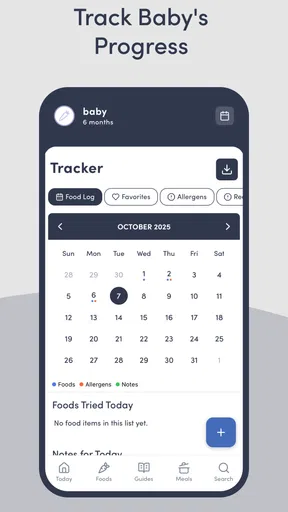
Yes, the Solid Starts app allows you to record your baby's reactions and preferences. You can log each food introduction, note any allergic reactions, and track your baby's likes and dislikes. This feature helps parents monitor their baby’s dietary progress and make informed decisions about future food introductions.
Is the Solid Starts app available for both Android and iOS devices?
The Solid Starts app is available for download on both Android and iOS devices. Users can find it on the Google Play Store for Android and the Apple App Store for iOS. This cross-platform availability ensures that parents can access valuable resources and tools regardless of their device preference.


